SpaceAlert
A downloadable tool for Windows
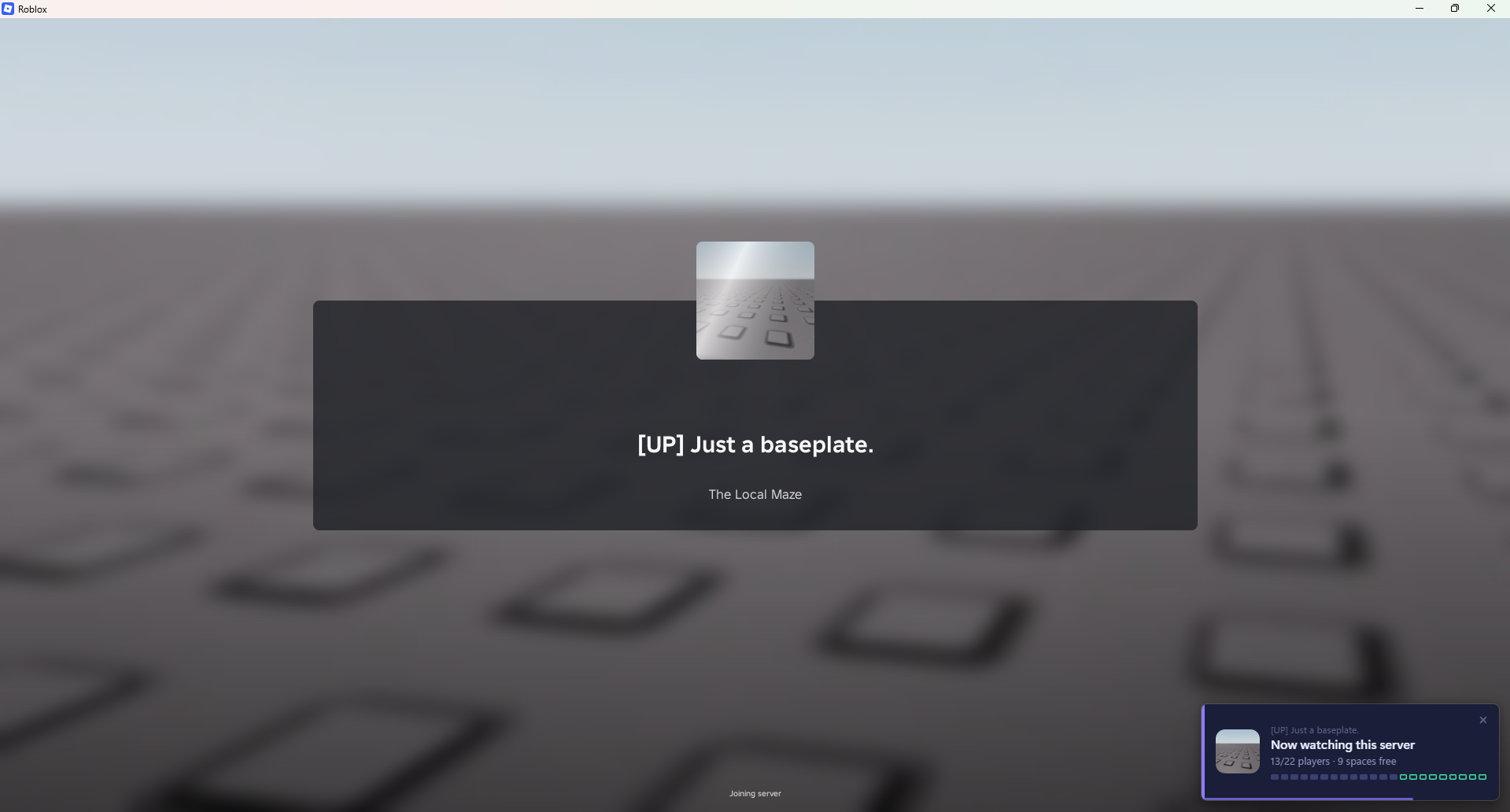
Your server's full and your friends are waiting. SpaceAlert keeps an eye on it for you and tells you the moment a space opens, so they can jump straight in.
Just open SpaceAlert and join a Roblox game. It works out which server you're in on its own.
Features
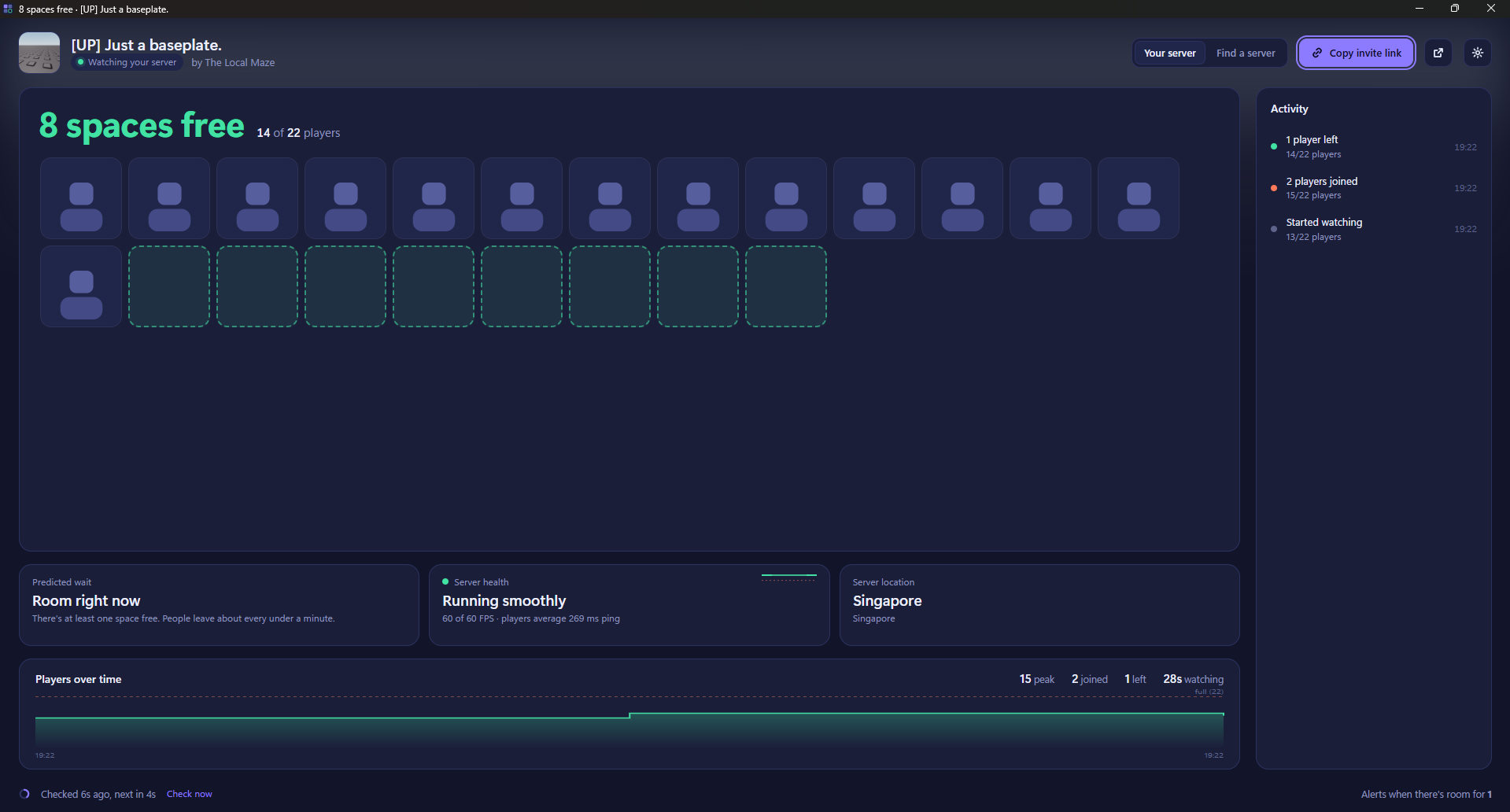
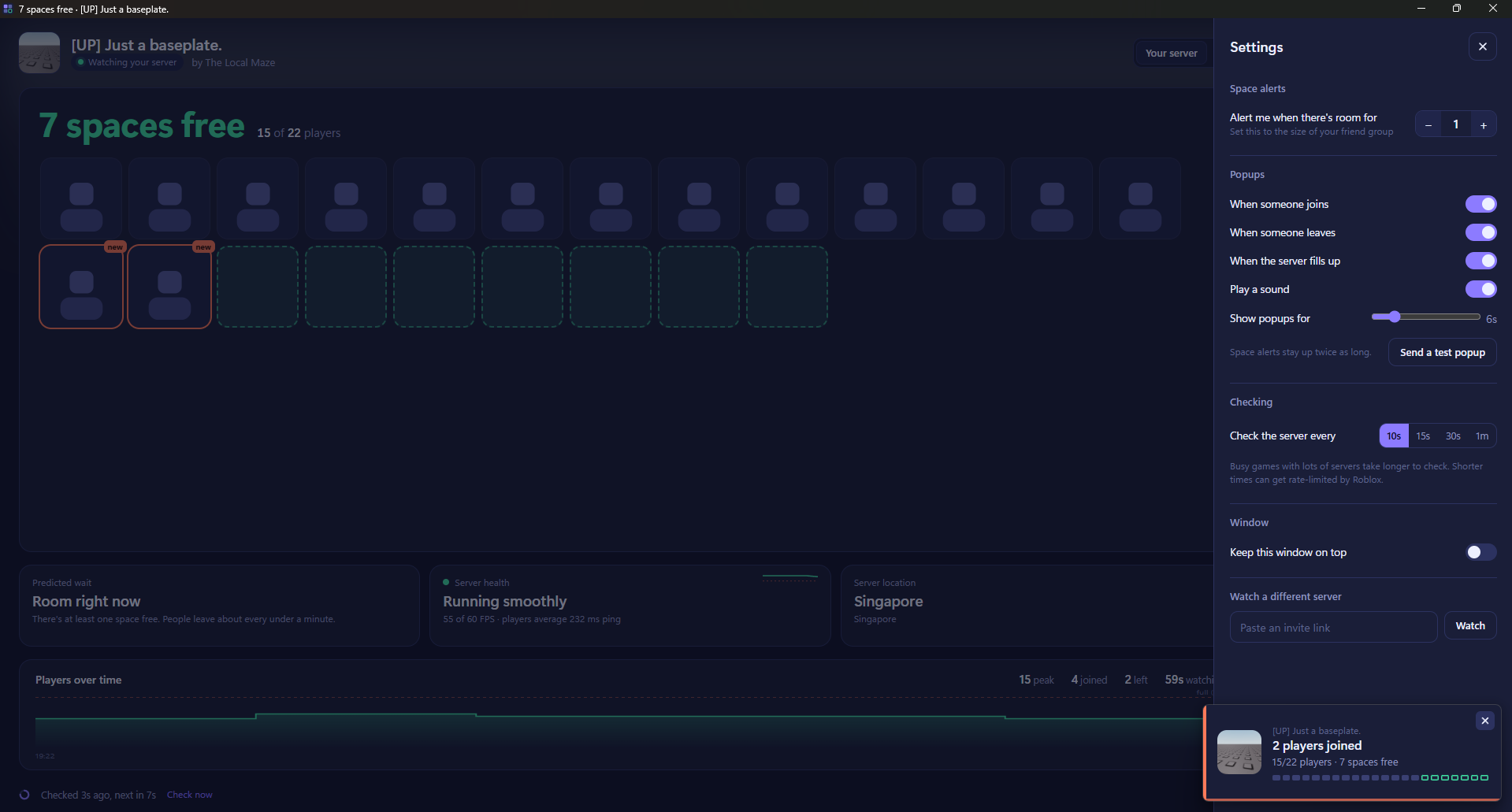
Space alerts. A small popup appears in the bottom-right corner when someone joins, leaves, or a space opens up. It won't pull you out of your game.
Alerts for your group. Tell it how many friends you're playing with, and it only alerts you when there's room for all of you.
Invite links. One click copies a link that puts your friends into your exact server, not a random one.
Predicted wait. SpaceAlert learns how often people leave your server and estimates how long until there's room.
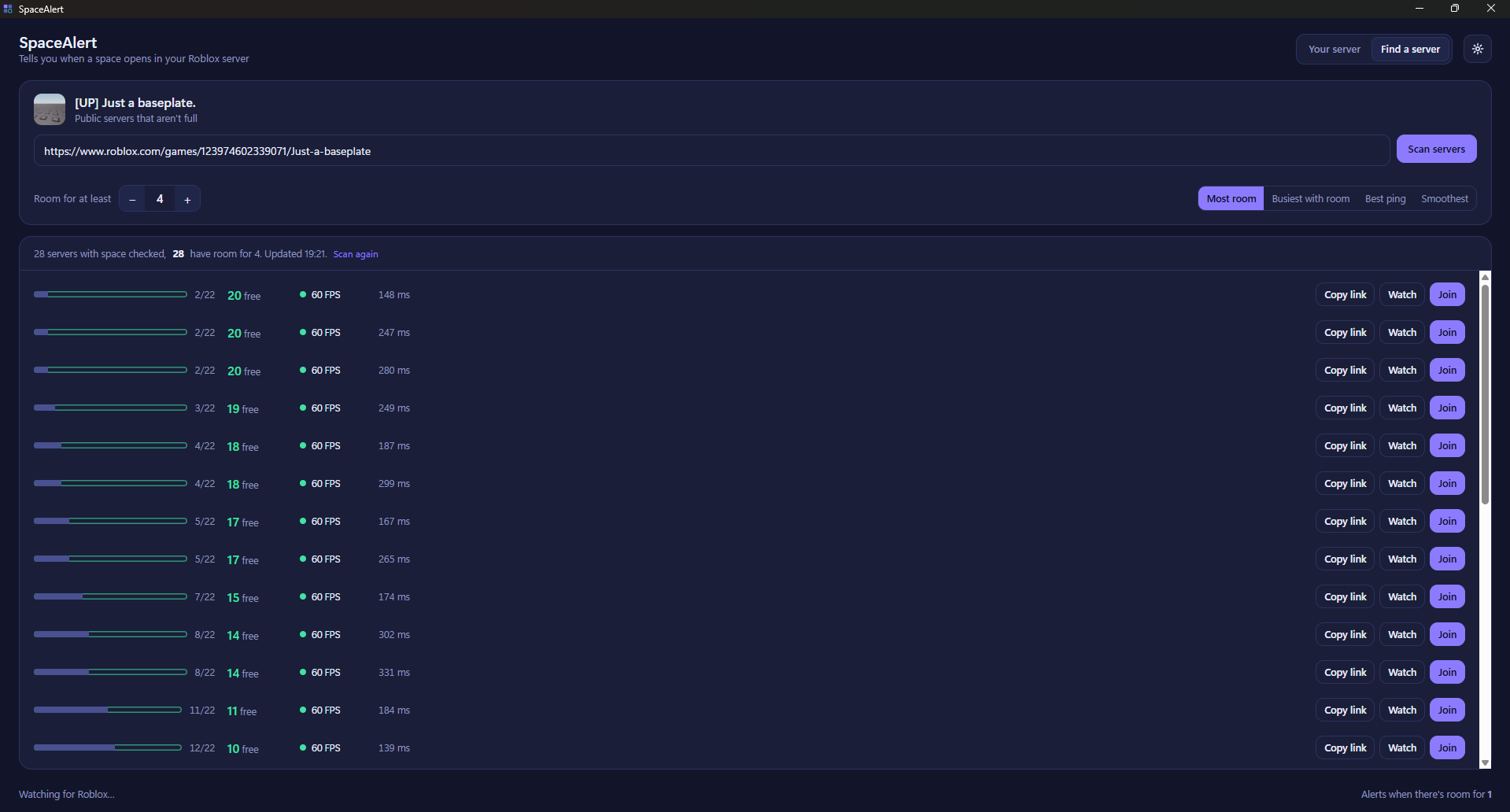
Server finder. Scan any game for public servers with enough space for your group. Sort by most room, busiest, lowest ping or smoothest, and join in one click.
Server health. See how smoothly your server is running and the players' average ping. You'll get a warning in the activity feed if it starts lagging.
Server location. See roughly where in the world your server is, which helps explain bad ping.
Plain-English disconnects. If you're kicked, time out, or the server shuts down, SpaceAlert explains what happened in normal words. It also gives you buttons to rejoin or find a new server.
Activity feed and chart. A timeline of every join and leave, and a graph of the player count while you play.
Safe to use
SpaceAlert is not a cheat, hack or exploit.
- It never touches, modifies or reads the Roblox game while it's running.
- It only reads the log files Roblox already saves on your PC, plus public Roblox web pages anyone can open in a browser.
- It never asks for your Roblox login or password.
- It gives you no advantage in-game.
Requirements
- Windows 10 or 11
- Microsoft Edge WebView2 Runtime (most PCs already have it, and SpaceAlert will point you to it if not)
Good to know
- First launch: Windows may say "Windows protected your PC" because SpaceAlert isn't signed. Click More info, then Run anyway.
- No names or avatars: Roblox doesn't share who is in a server, so you'll see player counts but not who the players are.
- Private and VIP servers can't be watched, because Roblox doesn't list them publicly.
- Server location only works for the server you're currently in.
SpaceAlert is a fan-made tool. It is not made by, affiliated with, or endorsed by Roblox Corporation. Roblox is a trademark of Roblox Corporation.
Download
Install instructions
Install
- Download SpaceAlert.zip and extract it: right-click it, choose Extract All, then click Extract.
- Open the extracted folder and double-click SpaceAlert.exe. There's nothing to install.
- If Windows says "Windows protected your PC", click More info, then Run anyway. This shows up because SpaceAlert isn't signed, which is normal for small indie apps.
Needs
- Windows 10 or 11
- Microsoft Edge WebView2 Runtime. Most PCs already have it. If yours doesn't, SpaceAlert will tell you and open the free download page from Microsoft.
Using it
Leave SpaceAlert open and join any Roblox game. It finds your server on its own. Click the gear icon to set how many friends you're playing with and which popups you want.
Uninstall
Close SpaceAlert and delete SpaceAlert.exe. To remove its saved settings too, delete the SpaceAlert folder in %APPDATA% and in %LOCALAPPDATA%. Paste either into the File Explorer address bar to get there.
Leave a comment
Log in with itch.io to leave a comment.